
Read and annotate
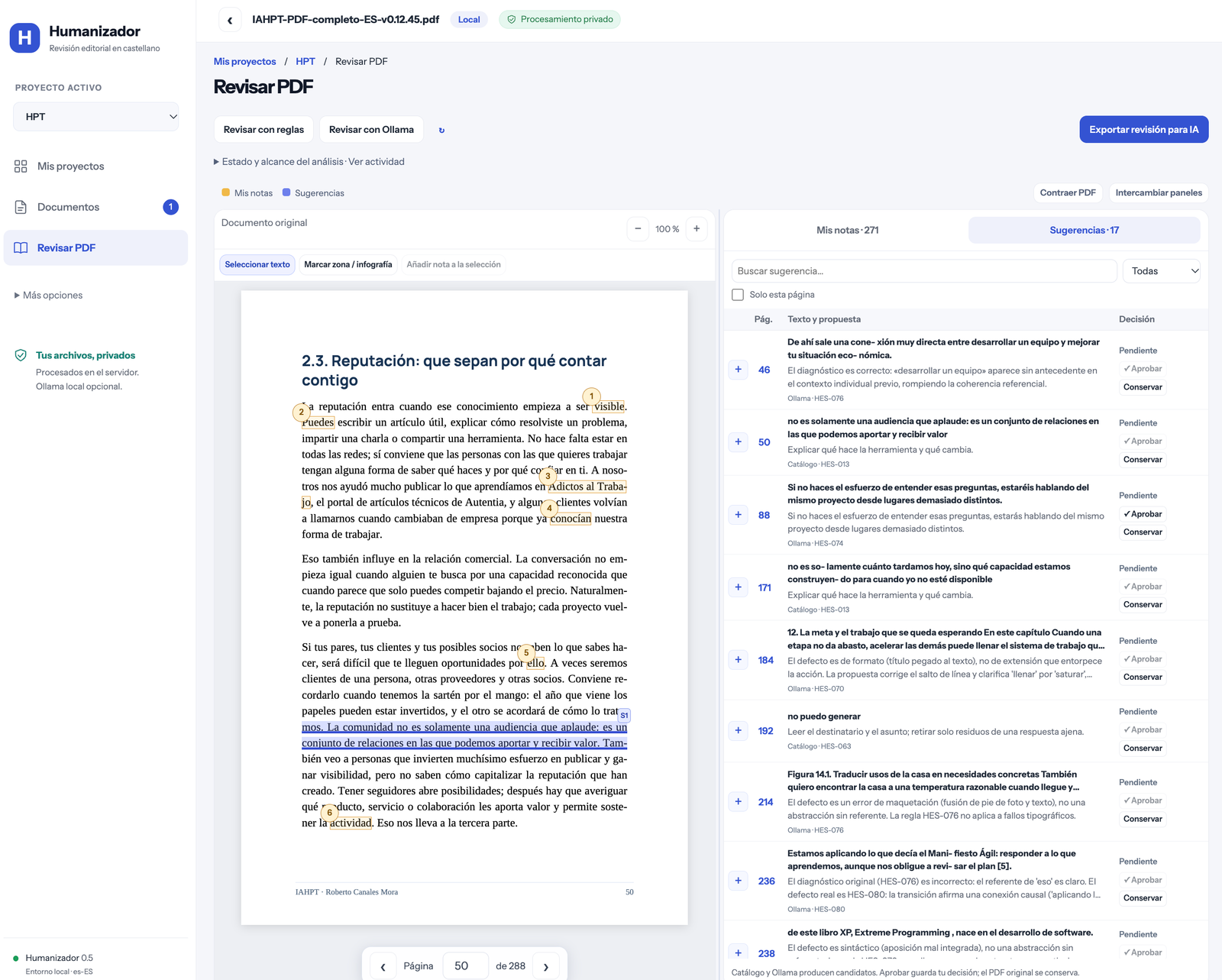
Select text or mark an area of an infographic. Notes retain the page, position, context and image crops so you can return to the exact location.
FREE TOOL · EDITORIAL REVIEW
Keep your voice, nuance and decisions when working with AI.
Read the original PDF, mark what you want to change and assess suggestions in one workspace. Export the review with precise references before returning to your manuscript.
WHY IT EXISTS
A class or a spoken explanation contains examples, doubts, conditions and a distinctive way of telling things. Turning it into chapters with AI can reduce a scene to a moral or turn personal experience into a general claim. Editing needs to recover what the author meant.
Humanizador helps organise that reading and review. It flags candidates, stores your notes and lets you decide on each proposal. Its purpose is responsible editing and a final manual review, not plagiarism, deception or evading AI detectors.
Select text or mark an area of an infographic. Notes retain the page, position, context and image crops so you can return to the exact location.
Notes and suggestions use different colours and two tabs. A compact table lets you edit a proposal, approve it, keep the original or reopen a decision.
One JSON export brings together notes, proposals, decisions and references. You can give it to another AI to prepare manuscript changes for your review.
Collapse the menu, resize or swap the panels, and change pages within the viewer. The original is immutable: approving a proposal stores your decision; it does not rewrite the PDF.
Deterministic patterns that work without a model.
Optional reading with Ollama and proposal validation.
Documented for future implementation or validation; not executable coverage.
The 80 entries include examples, exceptions and sources. Fidelity principles aim to preserve the subject, complete scenes, stance, humour, causal relationships, conditions and certainty. Context matters: a technical term or a deliberate pause may be appropriate.
The catalogue does not learn automatically when changes are approved. Contributions become criteria with synthetic examples and counterexamples, tested before activation. Contributing editorial knowledge (Spanish).
USER GUIDE
sh instalar.sh on Mac/Linux or .\instalar.ps1 in PowerShell. The wizard checks Node and prepares the application. The browser opens; an alternative port is used if needed.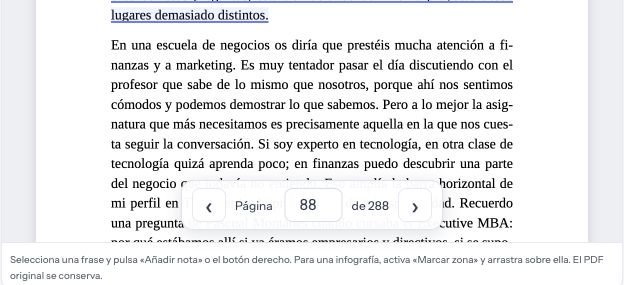
Download the project ZIP, extract it and open a terminal in that folder. Git is another option. Node.js 24 or later with npm is required; the wizard explains how to install it if missing. The wizard and full manual are in Spanish.
In Terminal, from the project folder.
sh instalar.shFor daily use
sh arrancar.shsh parar.shIn PowerShell, from the project folder.
.\instalar.ps1For daily use
.\arrancar.ps1.\parar.ps1The wizard shows progress, installs dependencies and asks how you want to review. Keep your settings, use rules alone or set up Ollama. Model downloads require confirmation and documents are preserved. The installation manual also explains what to do when PowerShell blocks scripts.
On Mac, Ollama requires macOS 14 or later: Apple Silicon can use the GPU, while Intel uses the CPU. On Windows, it requires Windows 10 22H2 or later; acceleration depends on the GPU and its drivers. Install and open Ollama, then select a model in the wizard. The application distinguishes an unavailable service from a missing model and provides setup help.
You can try qwen3.5:4b with fewer resources, without claims about its editorial quality. Models need several GB of disk space and additional memory for context. The historical qwen3.6:27b-q8_0 model is much larger and is not downloaded by default. Ollama setup, models and activity.
The interface uses React, Vite and PDF.js; the server uses Node and SQLite. Stopping pauses work so you can resume later. Data stays on the computer or server running the application. GitHub Pages hosts the manual; it does not process PDFs.
Humanizador was built with Codex, under the direction of Roberto Canales Mora. It is checked through automated tests and human review. Codex is a development tool: you do not need an account to use Humanizador. Recommendations still require your judgement.
Quote and fidelity checks reduce mechanical errors but do not guarantee correct interpretation. The model works on fragments; relationships between chapters and final editing require human reading.
Humanizador stores references and decisions. The export supports manuscript editing. Scans, columns, tables and split words need particular care.
Code and original documentation use MIT. Dependencies retain their licences. IAHPT excerpts shown in screenshots retain their copyright and appear with permission. Do not post private exports or documents in issues.
Report a problem with a synthetic example · Full illustrated guide (Spanish) · All projects